Free PROGRAMS
Issues that the update rollup resolves
Update Rollup 1 for Exchange Server 2010 SP3 resolves the issues that are described in the following Microsoft Knowledge Base (KB) articles:
2561346 Mailbox storage limit error when a delegate uses the manager's mailbox to send an email message in an Exchange Server 2010 environment
2729954 Can't send voice message to a selected non-primary email address in an Exchange Server 2010 environment
2750846 Information Store service crashes when you mount public folder databases on an Exchange Server 2010 server
2751628 Event ID 9682 does not record the folder name when you delete a public folder in an Exchange Server 2010 environment
2756460 You cannot open a mailbox that is located in a different site by using Outlook Anywhere in an Exchange Server 2010 environment
2763065 Move request log is logged when you move a mailbox in an Exchange Server 2010 SP2 environment
2777742 Address Book service crashes on an Exchange Server 2010 Client Access server when a server has been running for 25 days or more
2781488 RPC_S_SERVER_UNAVAILABLE (0x6BA) error code when you use a MAPI or CDO-based application in an Exchange Server 2010 environment
2782683 Email message that a user sends by using the "Send As" or "Send On Behalf" permission is saved only in the Sent Items folder of the sender in an Exchange Server 2010 environment
2784210 Ethical wall does not function as expected when the ReportToOriginatorEnabled property is disabled in an Exchange Server 2003 and Exchange Server 2010 coexistence environment
2793348 Read receipt is sent unexpectedly when you view an email message by using Outlook Web App
2796490 Microsoft Exchange Information Store service crashes on an Exchange Server 2010 Mailbox server
2802569 Mailbox synchronization fails on an Exchange ActiveSync device in an Exchange Server 2010 environment
2803132 Delayed email message delivery on a BlackBerry mobile device after you install Update Rollup 4 for Exchange Server 2010 SP2
2806602 EdgeTransport.exe process crashes on an Exchange Server 2010 Hub Transport server
2814723 Server loses network connectivity and UDP ports are used up on an Exchange Server 2010 server
2814847 Rapid growth in transaction logs, CPU use, and memory consumption in Exchange Server 2010 when a user syncs a mailbox by using an iOS 6.1 or 6.1.1-based device
2816934 Error code 0X800CCC13 when an additional POP3 or IMAP account is used to send an email message and Outlook online mode is used to connect to an Exchange Server 2010 environment
2817140 Exchange Replication service crashes intermittently in an Exchange Server 2010 environment
2817852 Cyrillic characters are displayed as question marks in the "To" field of message items in the Sent Items folder in an Exchange 2010 environment
2818456 Attachments are missing from an embedded message in an Exchange Server 2010 SP2 environment
2822208 Unable to soft delete some messages after installing Exchange 2010 SP2 RU6 or SP3
2826066 VSAPI-based antivirus software causes delayed response in an Exchange Server 2010 environment
2827037 Copy of an item is created in the Version subfolder in an Exchange Server 2010 environment
2833888 No items are displayed in Outlook after you install Exchange Server 2010 SP3 or Update Rollup 6 for Exchange Server 2010 SP2
2840099 ArgumentOutOfRangeException exception when an EWS application creates a new MIME email in an Exchange Server 2010 environment
For a list of changes that are included in this update rollup, see KB2803727.
Download Update Rollup 1 for Exchange Server 2010 Service Pack 3
The link in following website correspond to file available for this download.
Update Rollup 1 for Exchange Server 2010 Service Pack 3 (KB2803727)
This Update also available through Windows Update service.
Applies to
Microsoft Exchange Server 2010 Service Pack 3, when used with:
Microsoft Exchange Server 2010 Standard
Microsoft Exchange Server 2010 Enterprise
Reference
Description of Update Rollup 1 for Exchange Server 2010 Service Pack 3 (KB2803727).
program4secure.blogspot.com
Showing posts with label Microsoft. Show all posts
Showing posts with label Microsoft. Show all posts

Tuesday
Download Microsoft Kodu Game Lab 1.3.5.0
Free PROGRAMS
 Kodu is a new visual programming language made specifically for creating games. It is designed to be accessible for children and enjoyable for anyone. The visual nature of the language allows for rapid design iteration using only an Xbox game controller for input (mouse/keyboard input is also supported).
Kodu for the PC is available to download for free. Kodu for the XBox is also available in the USA on the XBox Marketplace, in the Indie Games channel for about $5.
Download Kodu Game Lab
Kodu Game Lab is now available for download via Microsoft Download Center. The links in this section correspond to files available for this download.
Kodu Game Lab
System Requirements
Supported Operating System:
Windows 7
Windows 8
Windows Vista
Windows XP Additional requirements:
A graphics card that supports DirectX 9.0c and Shader Model 2.0 or higher is required.
.NET Framework 3.5 or higher is required.
XNA Framework 3.1 Redistributable is required.
Reference
Kodu Game Labprogram4secure.blogspot.com
Monday
Download Surface Pro Firmware and Drivers Update (May 2013
Free PROGRAMS 
Microsoft has released a Cumulative firmware and drivers for the Surface Pro. This firmware and driver package contains drivers for all of the components in the Surface Pro device, as well as updates to the system firmware that have been released via Windows Update.
Because updates are cumulative, when you install the latest update, you'll also get all the previous updates if your Surface doesn't have them already. Only updates that apply to Surface will be downloaded and installed.
Note: These firmware and drivers are not compatible with Surface RT.
Surface Pro (Credit: Microsoft)
Quick Details
File name: May 2013SurfacePro.zip
Date Published: 5/16/2013
Version: 1
File size: 147.5 MB
Download Surface Pro Firmware and Drivers Update
The link in following website correspond to file available for this download.
Download Surface Pro Firmware and Drivers
This Update also available through Windows Update service.
The May 2013 update includes these firmware and performance improvements:
UEFI firmware update enables the PXE boot feature. This feature is only available when using the Surface Pro Ethernet Adapter due to the UEFI integration needed to implement PXE boot.
Trackpad Settings driver for Surface Type Cover to enable interaction with the Trackpad Settings app for Japanese customers.
Continued improvement in Wi-Fi connectivity and stability.
Supported Operating System
Windows 8 Pro
Surface Pro Note: These drivers and firmware are not compatible with Surface RT.
References
Surface Pro update history
Microsoft Store - Surface Pro
program4secure.blogspot.com
Wednesday
LibreOffice 4.0.2 Final available for download
Free PROGRAMS
LibreOffice is a comprehensive, professional-quality productivity suite that you can download and install for free. There is a large base of satisfied LibreOffice users worldwide, and it is available in more than 30 languages and for all major operating systems, including Microsoft Windows, Mac OS X and Linux (Debian, Ubuntu, Fedora, Mandriva, Suse, ...).
You can download, install and distribute LibreOffice freely, with no fear of copyright infringement.
Key Features and Advantages
LibreOffice includes Writer, Calc, Impress, Draw, Base and Math. This is a feature-packed and mature desktop productivity package with some really great advantages:
LibreOffice is a feature-packed and mature desktop productivity package with some really great advantages:
LibreOffice gives you high quality:
LibreOffice is user-friendly:
Download LibreOffice 4.0.2 Final (April 4, 2013)
LibreOffice 4.0.2 Final is available for download at the following website.
What's new in LibreOffice 4.0.2 Final?
This release is bit-for-bit identical to the 4.0.2 Release Candidate 2, so you don't need to download or reinstall if you have that version already.
A full list with screenshots is available here: New Features and Fixes in LibreOffice 4.0
References:
LibreOffice LibreOffice
The Document Foundation program4secure.blogspot.com
LibreOffice is a comprehensive, professional-quality productivity suite that you can download and install for free. There is a large base of satisfied LibreOffice users worldwide, and it is available in more than 30 languages and for all major operating systems, including Microsoft Windows, Mac OS X and Linux (Debian, Ubuntu, Fedora, Mandriva, Suse, ...).
You can download, install and distribute LibreOffice freely, with no fear of copyright infringement.
Key Features and Advantages
LibreOffice includes Writer, Calc, Impress, Draw, Base and Math. This is a feature-packed and mature desktop productivity package with some really great advantages:
LibreOffice is a feature-packed and mature desktop productivity package with some really great advantages:
- It's free - no worry about license costs or annual fees.
- No language barriers - it's available in a large number of languages, with more being added continually.
- LGPL public license - you can use it, customize it, hack it and copy it with free user support and developer support from our active worldwide community and our large and experienced developer team.
- LibreOffice is an Open Source community-driven project: development is open to new talent and new ideas, and our software is tested and used daily by a large and devoted user community; you, too, can get involved and influence its future development.
LibreOffice gives you high quality:
- The roots of LibreOffice go back 20 years. This long history means it's a stable and functional product.
- Thousands of users worldwide regularly take part in beta testing of new LibreOffice versions.
- Because the development process is completely open, LibreOffice has been extensively tested by security experts, giving you security and peace of mind.
LibreOffice is user-friendly:
- You get a simple-to-use yet powerful interface that is easy to personalize - Microsoft Office users will find the switch easy and painless, with a familiar look and feel.
- Compatible with all major competitors' file formats. You can easily import files from Microsoft Word, Excel and PowerPoint and many other formats, and can easily save to Microsoft Office and other formats when needed.
- LibreOffice is supported by a big worldwide community: volunteers help newcomers, and advanced users and developers can collaborate with you to find solutions to complex issues.
Download LibreOffice 4.0.2 Final (April 4, 2013)
LibreOffice 4.0.2 Final is available for download at the following website.
What's new in LibreOffice 4.0.2 Final?
This release is bit-for-bit identical to the 4.0.2 Release Candidate 2, so you don't need to download or reinstall if you have that version already.
A full list with screenshots is available here: New Features and Fixes in LibreOffice 4.0
References:
LibreOffice LibreOffice
The Document Foundation program4secure.blogspot.com
Friday
Intel AppUp : App Store for Windows 7
Free PROGRAMS

Intel AppUp center is a digital hub for software, apps, content and entertainment, developed by Intel Corporation for Microsoft Windows-based tablet, Ultrabook devices, netbooks, laptops, and personal computers. From touch friendly fun game like Angry Birds to knowledge based app like WikiHow, Intel AppUp center delivers all the latest PC apps optimized for your PC and you, all in one convenient place.
Intel AppUp will make your Windows PC more powerful useful and fun with apps for every part of your life. With categorized easy to find apps, a fun and familiar shopping experience and a trusted ever-expanding site, this is where your PC gets really amazing whether its an app to pan your vacation or just kick back and have fun. There is an incredible number of options, all incredibly well organized like the top free and top paid apps and new releases.
Just download the Intel AppUp application, sign up, and you're ready to go! You will receive up-to-date information on the latest apps and offers, the home carousel showcases the hottest featured apps. You click to see app screenshots, get helpful ratings and read other user reviews, you can expand and explorer any category and limply hover over apps to get more details. Every apps has been tested and validated by Intel, so can be worry free and a single purchase allows you to install the app on up to five PCs.
Tracking and managing the transaction is a snap with Intel AppUp, its all their in your personal profile along with preference and payment options and more. Make you PC more amazing, make it you extension of you. If you are a Windows 7 or XP user and want a one stop secure app store like Windows 8 and Mac OS user Intel AppUp center is the best solution for you.
program4secure.blogspot.com
Download Kinect for Windows SDK 1.7
Free PROGRAMS

This download includes application programming interfaces (APIs) and device interfaces, source code samples, and drivers, along with technical documentation.
Overview
The Kinect for Windows Software Development Kit (SDK) enables developers to create applications that support gesture and voice recognition, using Kinect sensor technology on computers running Windows 7, Windows 8, and Windows Embedded Standard 7.
What's new in Kinect for Windows SDK 1.7?
The Kinect for Windows SDK, driver, and runtime v1.7 are 100% compatible with Kinect for Windows v1.0, 1.5, and 1.6 applications. View Release Notes
Learn more about the Kinect for Windows commercial SDK in this comprehensive review of system requirements, installation tips, file listing, and other details, please visit Kinect for Windows Features website:
Files in this download
The links in this section correspond to files available for this download.
The Kinect for Windows SDK includes the following:
System requirements
Hardware Requirements
Your computer must have the following minimum capabilities:
Software Requirements
Download Details - Kinect for Windows SDK v1.7 program4secure.blogspot.com
This download includes application programming interfaces (APIs) and device interfaces, source code samples, and drivers, along with technical documentation.
Overview
The Kinect for Windows Software Development Kit (SDK) enables developers to create applications that support gesture and voice recognition, using Kinect sensor technology on computers running Windows 7, Windows 8, and Windows Embedded Standard 7.
What's new in Kinect for Windows SDK 1.7?
The Kinect for Windows SDK, driver, and runtime v1.7 are 100% compatible with Kinect for Windows v1.0, 1.5, and 1.6 applications. View Release Notes
Learn more about the Kinect for Windows commercial SDK in this comprehensive review of system requirements, installation tips, file listing, and other details, please visit Kinect for Windows Features website:
Files in this download
The links in this section correspond to files available for this download.
The Kinect for Windows SDK includes the following:
- Drivers for using Kinect for Windows sensors on a computer running Windows 7, Windows 8, and Windows Embedded Standard 7
- Application programming interfaces (APIs) and device interfaces
- Note: Samples have been removed from the SDK download. Samples, tools, and other valuable development resources are available in the Kinect for Windows Developer Toolkit.
System requirements
- Supported Operating Systems: Windows 7, Windows 8, Windows Embedded Standard 7
Hardware Requirements
Your computer must have the following minimum capabilities:
- 32 bit (x86) or 64 bit (x64) processor
- Dual-core 2.66-GHz or faster processor
- Dedicated USB 2.0 bus
- 2 GB RAM
- A Microsoft Kinect for Windows sensor
Software Requirements
- Microsoft Visual Studio 2010 Express or other Visual Studio 2010 edition
- .NET Framework 4.0 or .NET Framwork 4.5
- To develop speech-enabled Kinect for Windows Applications, you must install the Microsoft Speech Platform SDK v11
Download Details - Kinect for Windows SDK v1.7 program4secure.blogspot.com
Saturday
Microsoft office 2010 professional plus 2010
Free PROGRAMS
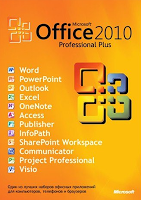 Microsoft office 2010 professional plus 2010 | Microsoft office 2010 professional plus 2010. Actually I already have microsoft office 2013, but my first share gradually to avoid direct skip and certainly still many who still like the microsoft office 2010.
Microsoft office 2010 is the sofwergratis share my trial and proceed with a serial activator office 2010 that will make you guys use a full version.
Office 2010 I have tried on a laptop with OS windows 7 ultimate SP1 and until now never a problem because it is full version.
Microsoft office is definitely needed on the PC that we used as without microsoft office, PC we will feel incomplete.
Screenshot :
For those who want to download microsoft office 2010 professional plus, please download at the link below.
Download Microsoft Office 2010 Professional Plus ( Single Link 585 Mb )
How to Install:
Run Office to begin installing
When prompted enter the serial following serial (6RX4C-D2GFT-7QFM4-C438M-4FD26 or VY6Q2-GTHVD-9P4KB-F2PCB-YQXDC or VQX4T-3J2YG-B9GQT-8DX3V-HP62P). Use one alone.
After the install finished not immediately executed.
Run Activator by right click and run as administrator but before disabling antivirus first mate.
Click Ok and wait until they open.
Once open Select the Advanced menu and select another mode KMS Activator Office
Choose Office KMS Key Manager and follow the instructions
Press 1 and then enter it will automatically direct full version.
program4secure.blogspot.com
Microsoft office 2010 professional plus 2010 | Microsoft office 2010 professional plus 2010. Actually I already have microsoft office 2013, but my first share gradually to avoid direct skip and certainly still many who still like the microsoft office 2010.Microsoft office 2010 is the sofwergratis share my trial and proceed with a serial activator office 2010 that will make you guys use a full version.
Office 2010 I have tried on a laptop with OS windows 7 ultimate SP1 and until now never a problem because it is full version.
Microsoft office is definitely needed on the PC that we used as without microsoft office, PC we will feel incomplete.
Screenshot :
For those who want to download microsoft office 2010 professional plus, please download at the link below.
Download Microsoft Office 2010 Professional Plus ( Single Link 585 Mb )
How to Install:
Run Office to begin installing
When prompted enter the serial following serial (6RX4C-D2GFT-7QFM4-C438M-4FD26 or VY6Q2-GTHVD-9P4KB-F2PCB-YQXDC or VQX4T-3J2YG-B9GQT-8DX3V-HP62P). Use one alone.
After the install finished not immediately executed.
Run Activator by right click and run as administrator but before disabling antivirus first mate.
Click Ok and wait until they open.
Once open Select the Advanced menu and select another mode KMS Activator Office
Choose Office KMS Key Manager and follow the instructions
Press 1 and then enter it will automatically direct full version.
program4secure.blogspot.com
Sunday
Download Libre Office 4.0.1 Final

LibreOffice 4.0.1 is the second release from the 4.0 branch of LibreOffice. This build contains a number of enhancements and bug fixes over the previous release.
Overview
LibreOffice is a comprehensive, professional-quality productivity suite that you can download and install for free. There is a large base of satisfied LibreOffice users worldwide, and it is available in more than 30 languages and for all major operating systems, including Microsoft Windows, Mac OS X and Linux (Debian, Ubuntu, Fedora, Mandriva, Suse, ...).
You can download, install and distribute LibreOffice freely, with no fear of copyright infringement.
Key Features and Advantages
LibreOffice includes Writer, Calc, Impress, Draw, Base and Math. This is a feature-packed and mature desktop productivity package with some really great advantages:
LibreOffice is a feature-packed and mature desktop productivity package with some really great advantages:
- It's free - no worry about license costs or annual fees.
- No language barriers - it's available in a large number of languages, with more being added continually.
- LGPL public license - you can use it, customize it, hack it and copy it with free user support and developer support from our active worldwide community and our large and experienced developer team.
- LibreOffice is an Open Source community-driven project: development is open to new talent and new ideas, and our software is tested and used daily by a large and devoted user community; you, too, can get involved and influence its future development.
LibreOffice gives you high quality:
- The roots of LibreOffice go back 20 years. This long history means it's a stable and functional product.
- Thousands of users worldwide regularly take part in beta testing of new LibreOffice versions.
- Because the development process is completely open, LibreOffice has been extensively tested by security experts, giving you security and peace of mind.
LibreOffice is user-friendly:
- You get a simple-to-use yet powerful interface that is easy to personalize - Microsoft Office users will find the switch easy and painless, with a familiar look and feel.
- Compatible with all major competitors' file formats. You can easily import files from Microsoft Word, Excel and PowerPoint and many other formats, and can easily save to Microsoft Office and other formats when needed.
- LibreOffice is supported by a big worldwide community: volunteers help newcomers, and advanced users and developers can collaborate with you to find solutions to complex issues.
Download LibreOffice 4.0.1 Final (March 6, 2013)
LibreOffice 4.0.1 Final is available for download at the following website.
New in LibreOffice 4.0.1 Final
LibreOffice 4.0.1 contains the following:
This release is bit-for-bit identical to the 4.0.1 Release Candidate 2, so you don't need to download or reinstall if you have that version already.
A full list with screenshots is available here: New Features and Fixes in LibreOffice 4.0
References:
LibreOffice LibreOffice
program4secure.blogspot.com
Microsoft has released a Bing Desktop 1.2.113.0
Free PROGRAMS
 Bing Desktop automatically updates daily the Windows desktop background image to the beautiful image that is on the Bing.com homepage. The user may override the image of the day by manually selecting a different image from the prior eight days.
In addition, Bing Desktop offers an easily accessible yet unobtrusive search box to streamline searching without opening the browser. There are several search box options including a new way to minimize Bing Desktop as a toolbar in the Windows taskbar. Beyond search, Bing Desktop offers direct access to the latest news, trending topics, video and picture highlights without having to launch a browser. Finally, new to Bing Desktop v1.2 is the ability to login to Facebook and see Facebook content right from the Bing Desktop.
Download Bing Desktop 1.2.113.0
Bing Desktop 1.2.113.0 is available at the following website.
System requirements
Supported operating systems: Windows 7, Windows 7 SP1, Windows 8, Windows Server 2008 R2, Windows Server 2008 R2 SP1, Windows Server 2012, Windows Vista, Windows XP Pro, Windows XP SP3
Source:
Microsoft Bing Desktop program4secure.blogspot.com
Bing Desktop automatically updates daily the Windows desktop background image to the beautiful image that is on the Bing.com homepage. The user may override the image of the day by manually selecting a different image from the prior eight days.In addition, Bing Desktop offers an easily accessible yet unobtrusive search box to streamline searching without opening the browser. There are several search box options including a new way to minimize Bing Desktop as a toolbar in the Windows taskbar. Beyond search, Bing Desktop offers direct access to the latest news, trending topics, video and picture highlights without having to launch a browser. Finally, new to Bing Desktop v1.2 is the ability to login to Facebook and see Facebook content right from the Bing Desktop.
Download Bing Desktop 1.2.113.0
Bing Desktop 1.2.113.0 is available at the following website.
System requirements
Supported operating systems: Windows 7, Windows 7 SP1, Windows 8, Windows Server 2008 R2, Windows Server 2008 R2 SP1, Windows Server 2012, Windows Vista, Windows XP Pro, Windows XP SP3
- IE 6.0 or higher for better user experience
Source:
Microsoft Bing Desktop program4secure.blogspot.com
Suspend and Resume Windows Processes

PsSuspend is a small Windows command-line tool that allows you to suspend processes on the local or a remote system, which is desirable in cases where a process is consuming a resource (e.g. network, CPU or disk) that you want to allow different processes to use. Rather than kill the process that's consuming the resource, suspending permits you to let it continue operation at some later point in time.
Running PsSuspend with a process ID directs it to suspend or resume the process of that ID on the local computer. If you specify a process name PsSuspend will suspend or resume all processes that have that name. Specify the -r switch to resume suspended processes. Copy PsSuspend onto your executable path and type "pssuspend" with command-line options defined below.
Usage:
pssuspend [-?] [-r] [\computer [-u username] [-p password]]
-?
Displays the supported options.
-r
Resumes the specified processes specified if they are suspended.
\computer
Specifies the computer on which the process you want to suspend or resume is executing. The remote computer must be accessible via the NT network neighborhood.
-u username
If you want to suspend a process on a remote system and the account you are executing in does not have administrative privileges on the remote system then you must login as an administrator using this command-line option. If you do not include the password with the -p option then PsSuspend will prompt you for the password without echoing your input to the display.
-p password
This option lets you specify the login password on the command line so that you can use PsSuspend from batch files. If you specify an account name and omit the -p option PsSuspend prompts you interactively for a password.
process id
Specifies the process ID of the process you want to suspend or resume.
process name
Specifies the process name of the process or processes you want to suspend or resume.
Download Free PsSuspend.
PsSuspend File Size 182 KB .
PsSuspend Website program4secure.blogspot.com
Free doPDF 7 Download

doPDF installs in your Windows system as a virtual printer driver that allows you to easily convert any file to PDF via the print option of any Windows application. You would do this exactly as you print to a regular printer, just the result will be a PDF file, not a printed piece of paper. You can convert your Word documents, Excel sheets, PowerPoint presentations, AutoCad drawings, company’s reports, contracts, workflows, agreements, marketing plans, forms, products list, price list, charts, emails or web pages to PDF file format with doPDF.
doPDF is a free universal PDF converter for Windows application. With doPDF you will have the possibility to easily convert files to searchable PDF documents from any application using the print option. The resulted PDF files can be viewed on any computer with a PDF viewer (reader) installed.
Download free doPDF 7.3 PDF converter for Windows 8, 7, Vista, XP. doPDF 7.3 File Size 4 MB. doPDF Website
program4secure.blogspot.com
FlowBreeze Flowchart Software for Microsoft Excel

FlowBreeze is a flowcharting add-in for Microsoft Excel that lets you create flowcharts using an interactive flowcharting method and automatically generates flowchart shapes from your data. You can pre-layout flowchart content on a spreadsheet and convert the text into a flowchart with the Flowchart Wizard in a few quick steps. Like interactive flowcharting, the wizard formats the shapes, applies styles, and automatically routes connector lines.
FlowBreeze is a useful and easy to use application with and Excel template which will automatically convert your text into a flowchart shape based on the words you use. You can use the hyperlink tool to link a flowchart shape to documents, email addresses, web pages, and other parts of the same Excel workbook. FlowBreeze also adds a connector from the previous shape automatically. By using Excel as the drawing environment, your flowcharts are completely portable, and can be shared or collaborated on with anyone using Microsoft Office.
FlowBreeze Flowchart Software for Microsoft Excel released on Feb 23 2013.
Download free 30 days trial FlowBreeze Flowchart Software.
FlowBreeze Flowchart Software File Size 477 KB.
FlowBreeze Website.
program4secure.blogspot.com
Monday
Microsoft Excel 2007 - Short cut keys List

F 1: a set of tips to help Task open
F 1+ Control : Open stage help and close
F 2: The intracellularly active helps edit the text.
Shift + F 2: edited to make a box to write a comment.
F 2 + Alt: helps to open the Save As dialog box.
F + Shift : open insert function dialog box.
F + Control : open Name dialog box.
F 3 + Ctrl + Shift : opens create Name dialog box.
F 4: Turn back the last command is given.
F 4 +Control +: closes workbook window
F 4 + Alt: to close Excel set.
F 5: opens lines dialog box.
F 5 + Control : workbook window to return to the first level
F 6: jump Application window to help task.
Shift + F 6: Work sheet on the previous phase can be separated
Control + F 6: Work more than one book open while jumping on the next workbook.
F 7: Spelling correction phase
Control + F 7: Work Book window when passing move maximize
F 8: running Extended mode and stop.
F 9: Work sheets in all open accounting work books.
Shift + F9: Open've been working on estimating Work sheet.
F 9 + Control: workbook windows minimize.
F 10: choose menubar. Open the menu and its sub-down menu to select one at a time.
F10 + Control : Opens minimize window
F11: create function to data on the Range.
F 11+ Shift : choose New worksheet.
F11 + Alt: Visual Basic Editor and before leaping between the worksheet.
F11 Shift + Alt +: Opens the Microsoft Script Editor.
F 12: Save As dialog box will open.
Ctrl + Shift + F 12: open print dialog box .
program4secure.blogspot.com
Subscribe to:
Posts (Atom)